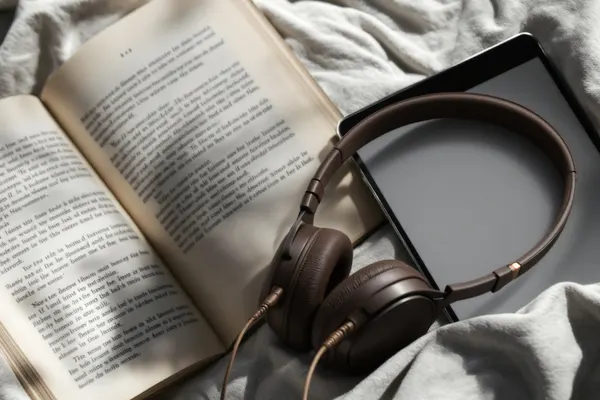

Digital borrowing combines a book with an account, a device and a lending arrangement. Before choosing a title, check that all four fit together. Your local library is the source for its current catalogue, access rules and available help.
Keep the reading task at the center
Before looking through a digital catalogue, decide what you want to do with the book. You may want a short passage for practice, a novel to read over several weeks or an audio title to accompany print. That purpose affects the format you need and the controls you should test.
A listing can describe an ebook, an audiobook or both as separate loans. The same title does not guarantee the same edition, chapter arrangement or availability. If you plan to listen while following print, compare a sample of each where lawful samples are provided. The opening passage and chapter headings can reveal whether the two versions are compatible for your task.
Library services and access rules vary. Treat the questions here as a preparation sheet for your own library, not a description of one universal borrowing system. Ask the library which service and instructions currently apply to your card and device. A familiar app name in a search result is not enough to establish the right route.
Check access before choosing the title
Find the library's own page for digital borrowing. Begin from its known website or ask staff for the address. Confirm which type of card or membership is needed. If your card needs an update, use the library's process rather than sending identifying details to an unrelated help page.
Check the device requirements supplied by the current service. An app, a browser and a dedicated reading device may offer different features. Do not assume that a book available in one route can be transferred to every other route. Ask whether your particular device and the chosen format are supported.
Write down the help contact, but keep passwords out of the learning notes. A tutor can make a sequence of steps such as “open library page, choose borrowing service, sign in privately” without recording the private information entered at the last step. This lets the learner keep control of the account.
Learning supply note
Library first: try what you can borrow or already own before buying supplies.
The House on Mango Street, paperback
Sandra Cisneros tells this story through short, linked pieces. Try a library copy or sample first to judge the language and print size. The book includes mature themes; it is a literary choice, not a graded reading course.
Read the buying checklistWishacc bamboo book stand, 13.2 by 9.2 inches
Five angle settings and page clips can hold a book open on a table. Check the size against your book first: the clips can be awkward with thick volumes, and the lowest angle may not suit every reader.
Read the buying checklistTry the controls that matter for one session
Open a permitted sample and adjust the text size. Check whether the full sentence remains visible and whether you can move to the next page without losing your place. Some layouts reflow text; others preserve a fixed page. The useful question is how this particular book behaves on your particular screen.
Try changing the screen orientation if that is comfortable. Find the table of contents, page or location indicator, and the control for returning to the reading view. Learn how to remove a menu that accidentally covers the page. Those small actions can make a first session easier to resume.
For audio, locate play, pause, chapter navigation and the position marker. Test returning to a recent point without restarting the entire book. If you change playback speed, choose a setting that lets you follow the passage and return to the ordinary setting when comparing. The control is a choice for the task, not a measure of reading ability.
The audio and print guide discusses ways to keep attention on the text. New equipment is not the first requirement. Try the format with a device you already have before deciding that a different screen or headphones will solve a reading problem.
Ask how the loan ends
Find the due date or lending period in the service's instructions or loan display. Ask what happens at the end: whether access expires automatically, whether a renewal is possible and whether another borrower waiting for the title affects renewal. Do not assume that digital and physical loans follow identical arrangements.
If there is a waiting list, distinguish a hold from an active loan. A notification may require a response before the book becomes available on the device. Check where notices appear and how to find them again. These details are better recorded as steps than as a vague reminder to “check the app.”
If you plan a learning session around a particular title, keep an alternative available. The lending period, a queue or a device problem can change access. A lawful public text, a print book already borrowed or another suitable sample can keep the session useful without requiring an urgent purchase.
Work out whether a connection is needed
Ask the provider's instructions whether the chosen book can be downloaded for use without an internet connection. If it can, check how to tell that the download has finished. A cover visible in the library list does not by itself prove that the full content is stored on the device.
Try reopening the title in the intended setting before relying on it for a trip or an appointment. Follow the service's supported offline steps. Avoid deleting app data or removing files merely because a screen looks unfamiliar; that may remove downloaded material or require another sign-in.
Consider storage and data use when those are relevant to your device or connection. Audio and image-heavy books can behave differently from plain text. Use the service's actual file or download information where supplied. There is no need to guess a file size from the length of the printed book.
Use a shared device with a clear stopping routine
On a shared device, ask the library or provider how to end the session properly. Closing a browser tab may not be the same as signing out. Likewise, removing a shortcut may not remove an account. Follow the current instructions for that service rather than improvising a cleanup method.
Before ending, record your reading place in a way that does not expose account information. A chapter title and a short neutral note may be sufficient. Check whether bookmarks or notes remain available after a loan ends if you intend to rely on them later. Do not assume that every annotation becomes a permanent personal archive.
When helping someone else, let them enter their own credentials and decide which settings to retain. Explain what a button does before selecting it. Digital borrowing practice should leave the reader more able to use the book, with the account still under their control.
Make the first loan a small trial
Choose a manageable title or section, open it twice on different occasions and test the return-to-place process. Write down one control that helped and one question for the library. This gives the next conversation a concrete starting point.
If the format does not suit the task, ask about other available formats or in-person help. The library visit guide can help prepare that discussion. A successful trial may lead to a digital loan, a print loan or a different resource. The decision should follow the reading need rather than a desire to use every feature on the screen.
A short practice task
Try a sample on the device you intend to use. Increase the text size and move between pages. Check whether the layout remains readable and whether you can return to your place after closing the app. A title that looks good on a demonstration screen may behave differently on a phone.
Write a short checklist: which account, which app, due date, offline access, renewal and help contact. Fill it from the provider instructions rather than memory. If a field is unclear, ask before leaving the desk or starting a paid alternative.
Do not share passwords in a tutoring notebook or submit them through a contact form. On a shared device, follow the provider and library instructions for signing out. A helper can explain the steps without keeping the learner’s credentials.
After the first session, reopen the book and test the bookmark. Then find one setting you may need, such as font size or chapter navigation. Learning a few controls well is more useful than exploring every menu while forgetting the book you wanted to read.
Before leaving the first borrowing trial, test the return journey: close the title, reopen it and find the same chapter or place. Then locate the due-date information and the help route. If any step is uncertain, write that specific question for library staff. You do not need to master every menu at once. A small set of reliable actions is enough to begin reading, pause without losing the thread and return with a clear idea of what support you still need.
Before you choose
Library first: try what you can borrow or already own before buying supplies.
The House on Mango Street, paperback
Sandra Cisneros tells this story through short, linked pieces. Try a library copy or sample first to judge the language and print size. The book includes mature themes; it is a literary choice, not a graded reading course.
Read the buying checklistPut the idea to work in the practice tools, or browse the book basket checklist.